
Room booking for community spaces
Your community's rooms, booked in a minute. Run it all from a phone.
For mosques, churches, community centres, clubs and schools. Members book without an account; volunteers approve from wherever they are.
- Community centres
- Mosques
- Churches
- Temples
- Clubs
- Schools
- Coworking
- Sports halls

Why it's hard today
Community halls run on goodwill. But the booking spreadsheet runs everyone ragged.
Most halls are still booked through a shared spreadsheet, a group chat, or a calendar tool made for people's meetings.
- Spreadsheets and group chats: double bookings slip through, and nobody can find who asked for what.
- Calendar tools built for people, not rooms: no opening hours, no room codes, no floors, no directions to the room.
- Per-user pricing that charges you for every volunteer who helps, and keeps basic features for the expensive plan.
How Beaver Book helps
One home for every room, request and reminder.
Booking in under a minute
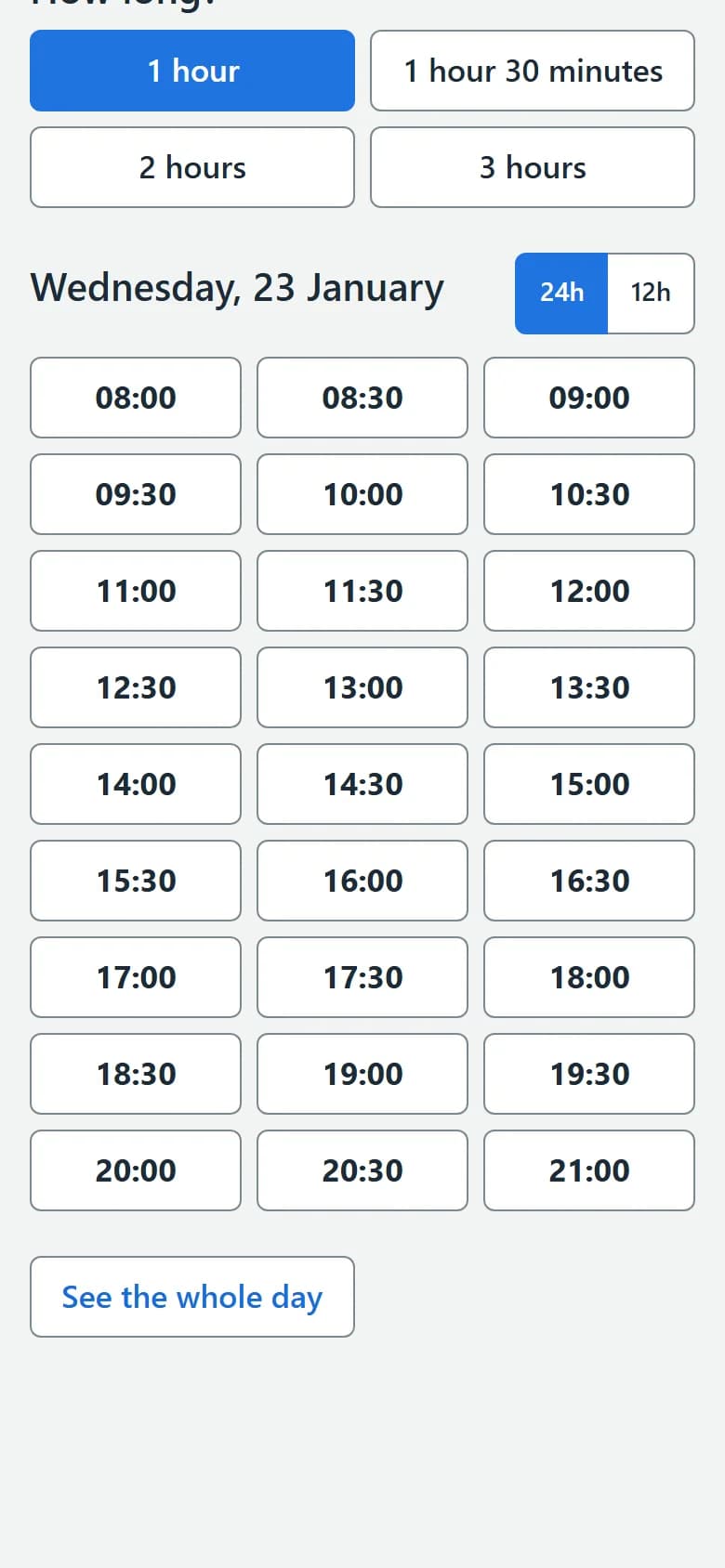
A month calendar, the lengths each room offers, and only the start times that fit. Works on any phone, and members never need an account.
You decide who gets in
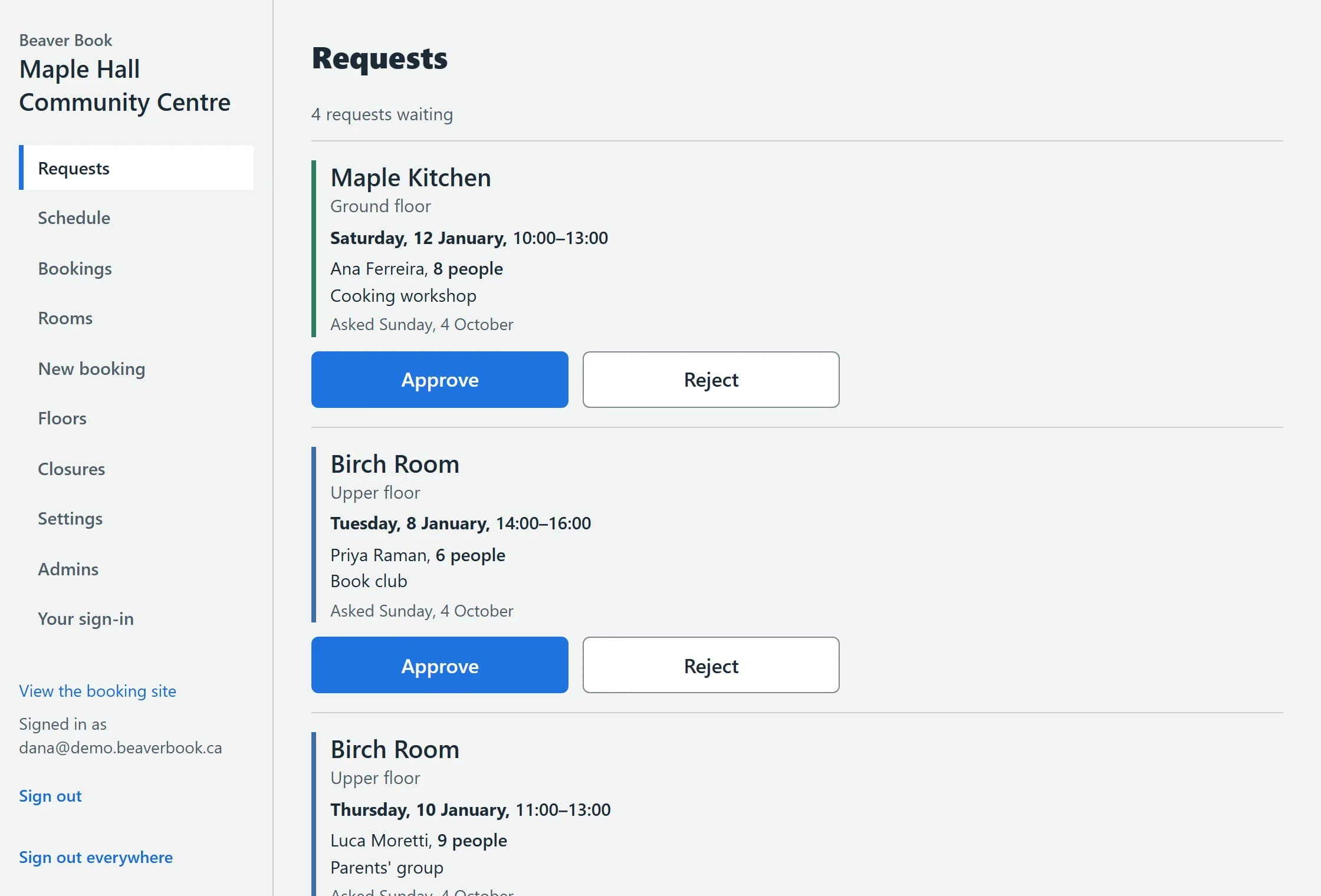
Approval room by room, room codes for private rooms, opening hours and closures, limits per person, and how far ahead people can book.
Emails that do the work
Confirmations, reminders and calendar invites, sent in your name and your colours. Members change or cancel from their own link.
Privacy built in
Contact details encrypted at rest, erased after the period you choose, an access log of who opened them, and two-step sign-in for admins.

How it works
Up and running in an evening.
Three steps, and the first one is the only one that takes time.
Add your rooms
Floors, rooms, opening hours and closures; how long people may book, and which rooms need your approval or a room code.
demo.beaverbook.ca 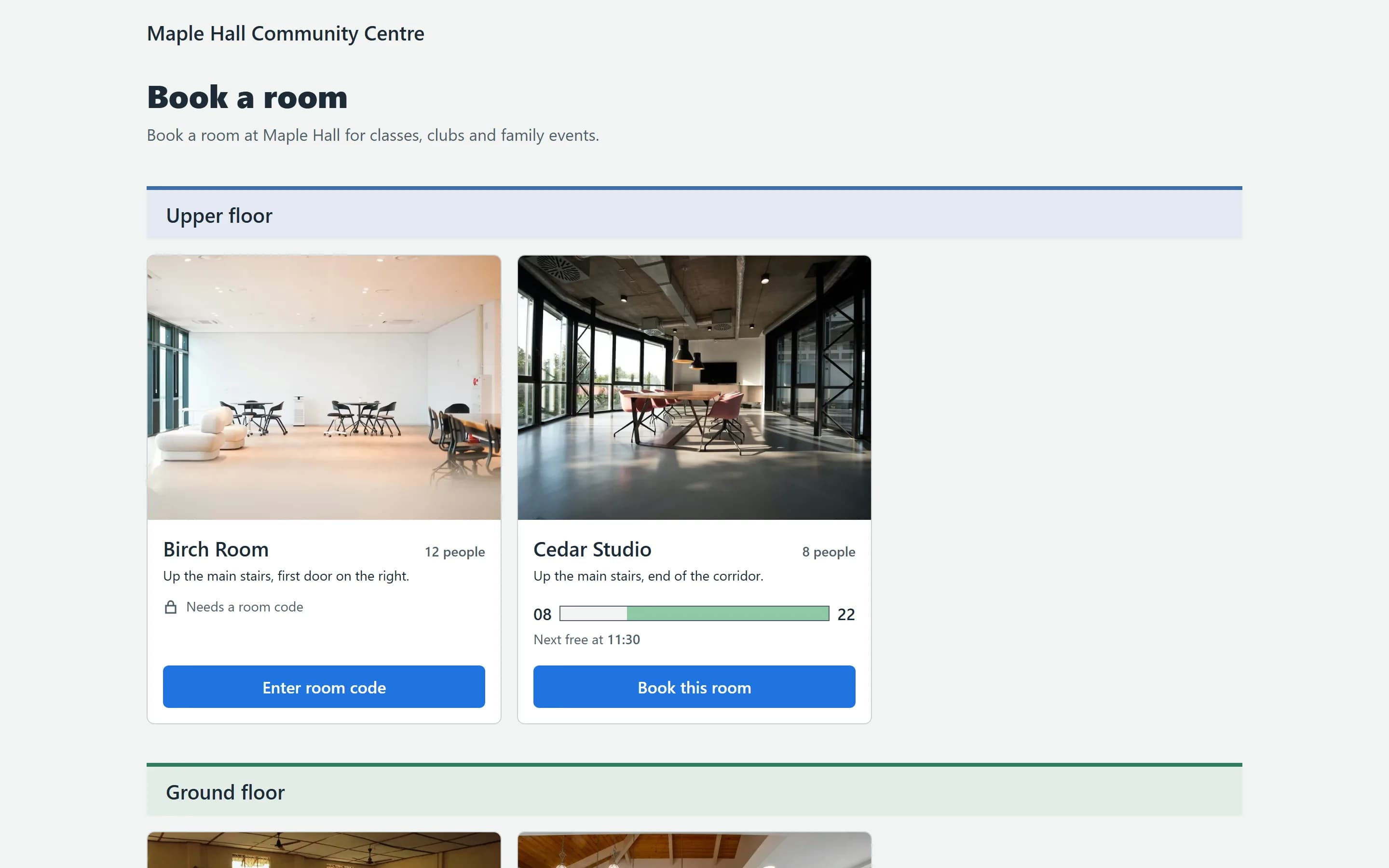
Share your link
Members book at yourname.beaverbook.ca, or right on your own website with a button, a link or an embedded page.
Approve from your phone
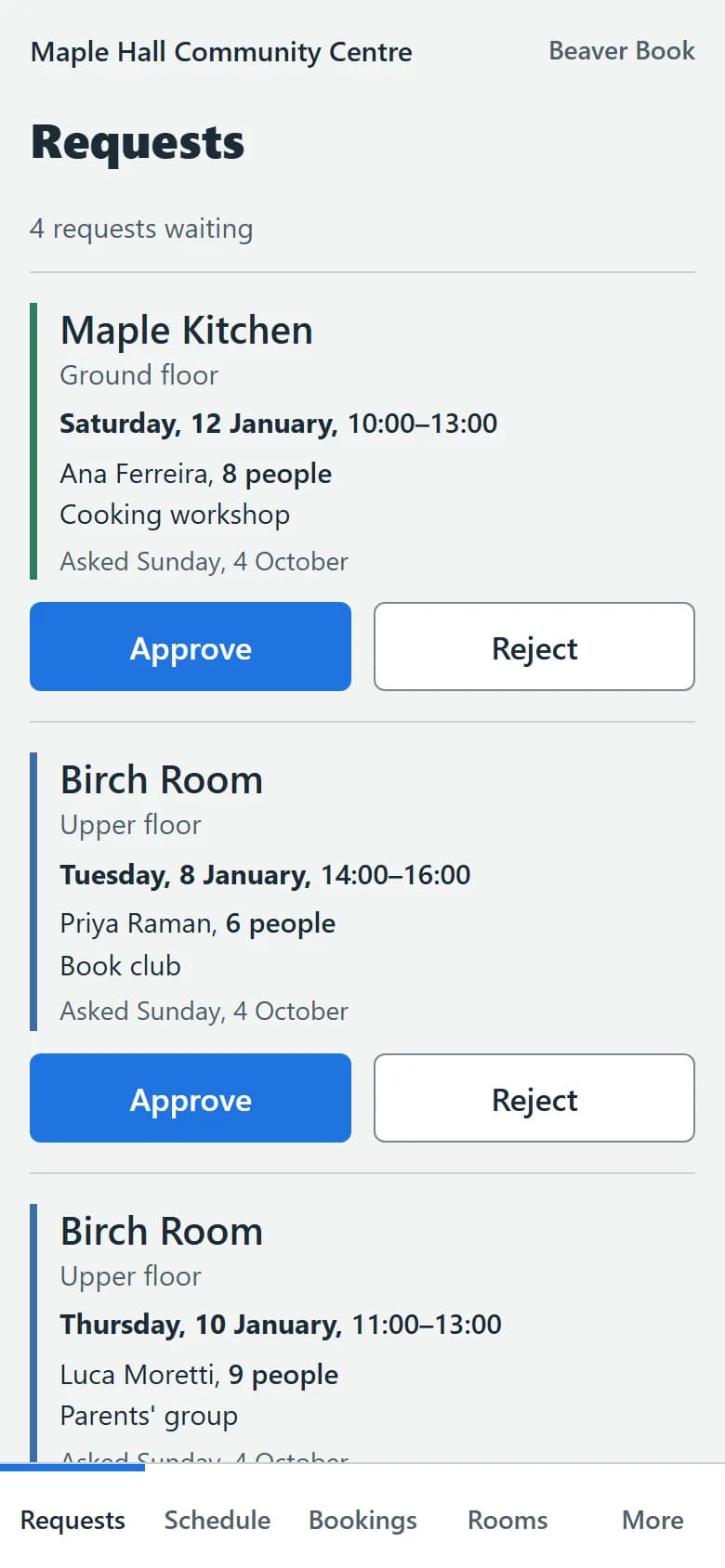
Requests arrive by email and in your admin. Approve or decline in a tap; the member gets the answer and a calendar invite.
Who it's for
Made for the places people gather.
Different buildings, the same job: the right room, for the right people, without the phone calls.
Put every room of your building in one directory, floor by floor, and let regular groups book on their own. The front desk approves from a phone between visitors.
- Rooms as cards under their floors, with photos
- Approval room by room
- Limits per person, so nobody books the whole week
Why Beaver Book?
Made for halls. Priced for volunteers.
Most booking tools are built for people's meetings. Beaver Book is built for rooms, and for the volunteers who look after them.
Built for rooms. Opening hours, floors, room codes and directions, not people's calendars.
Free to start. Three rooms and one admin cost nothing, and there's no card to enter.
It looks like yours. Your logo, colours, photos and questions, on your own website too.
Canadian time, handled. Every time in your city's time zone, with a clear note for anyone booking from away.
Privacy
Your members' details stay private.
Community groups hold more personal information than they think. We treat it that way.
- Emails, phone numbers and notes are encrypted in our database.
- Details are erased automatically after the period you choose.
- You can see who opened a member's contact details, and when.
- Admins sign in with an emailed link and a code from an authenticator app.
Pricing
Free to start. Fair when you grow.
Prices in Canadian dollars. No per-user fees: add your volunteers as admins without paying for each one.
Free
$0 per month
For a small hall getting started: up to 3 rooms and one admin.
What we recommend
Community
$29 per month
For most community spaces: up to 15 rooms, 5 admins, photos and embedding.
Premium
$79 per month
Your own domain and email, no Beaver Book footer, and help moving from Cal.com.
Questions
Questions people ask us
Is there a free plan?
Yes. Up to 3 rooms and one admin, with approvals, room codes, reminders and calendar invites. No card needed: we set it up for you.
Do visitors need an account?
No. They choose a time, fill in a short form and get a confirmation email with a private link to change or cancel.
Can we use our own domain?
Yes, on Premium: for example booking.yourorg.org. The other plans use yourname.beaverbook.ca.
Where is our data stored?
On servers we rent from Hetzner Online in Hetzner Online in Ashburn, Virginia (United States), with encrypted backups kept elsewhere. Members' contact details are encrypted in the database.
Can we move from Cal.com?
Yes. We bring your upcoming Cal.com bookings over with a tool made for it, and never double-book a room while doing it. On Premium we do the move with you.
Can people pay online?
Not yet. Beaver Book doesn't take payments today: if you charge for rooms, keep collecting it the way you do now.
Can we require approval?
Yes, room by room. A room can confirm bookings at once or wait for an admin to approve each one.
Can we limit who books a room?
Yes. Give a room a code and share it only with the people who may book it; limit how many bookings one person holds and how many hours a week; and approve each request.
Is it available in French?
Not yet. The booking pages and emails are in English today; French is coming.
How do we get started?
Send us a message. We set up your booking site within one working day; then you add your rooms and share your link.
Start today.


Book a room in the live demo, then tell us about your building. We set you up within one working day.